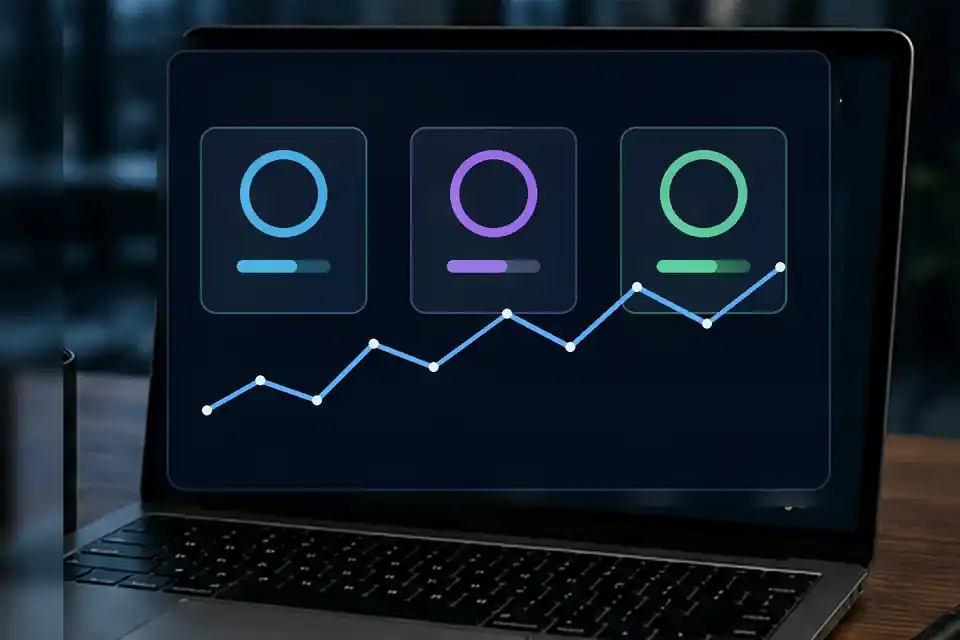
Core Web Vitals for a small business are three measurements of how a real webpage feels while it loads and responds. They are not a grade for how attractive the site looks. They focus on whether the main content appears promptly, whether taps and clicks receive a quick response, and whether the layout stays in place instead of jumping around.
The current metrics are Largest Contentful Paint, Interaction to Next Paint, and Cumulative Layout Shift. You will usually see them shortened to LCP, INP, and CLS. First Input Delay, or FID, is no longer one of the Core Web Vitals; Google replaced it with INP in March 2024.
What the three Core Web Vitals measure
LCP measures loading. It records when the largest visible image, text block, or video in the opening viewport is rendered. Google's recommended “good” target is 2.5 seconds or less. On a service-business homepage, the LCP element is often the main heading or hero image, so an oversized photograph, a slow server response, or a resource that starts loading late can hold the result back.
INP measures responsiveness. It looks across qualifying interactions during a visit and reports a value representing how quickly the page usually provides the next visual response. The recommended good target is 200 milliseconds or less. Long-running JavaScript, heavy third-party widgets, and too much work on the browser's main thread can make a menu, form, or booking control feel unresponsive.
CLS measures visual stability. It adds up unexpected layout movement while the page is open. The recommended good target is 0.1 or less. A common example is a visitor aiming for a phone button just as a late-loading banner pushes it down the page. Images without reserved dimensions, injected notices, and swapping fonts can all contribute to movement.
How Core Web Vitals are judged for a small business
The important phrase is real-world user experience. Google recommends evaluating the 75th percentile of page visits, separated by mobile and desktop. In plain English, the site needs to deliver a good result for most visitors, not just on the owner's fast office computer.
That distinction explains why two testing tools can appear to disagree. Field data comes from real Chrome visits collected through the Chrome User Experience Report. Lab data is produced in a controlled test, such as Lighthouse. Field data tells you what people have experienced. Lab data helps reproduce a problem and identify likely causes. Both are useful, but they answer different questions.
Small or newly launched sites may not have enough real-user data to appear in Search Console's Core Web Vitals report or in the field section of PageSpeed Insights. “No data” does not mean the page passed or failed. It means the available sample is not large enough for that report. A live lab test is still useful while field data accumulates.
Do good scores guarantee better Google rankings?
No. Google's current guidance says Core Web Vitals are used by its ranking systems, but there is no single page-experience signal and good tool scores do not guarantee a top position. Relevance, helpful content, local authority, business information, and many other factors still matter. Chasing a perfect performance score while leaving a thin service page untouched is usually the wrong trade.
The practical goal is a site that does not get in the visitor's way. A homeowner should be able to understand the service, read the proof, open the menu, and contact the business without waiting through a heavy animation or losing the button under a shifting layout. Search visibility is one reason to care; a more usable page is the more direct reason.
Where to check your own website
Start with PageSpeed Insights and test the homepage plus one important service page. Check mobile first, because that is often where constrained devices and connections reveal the problem. Read the field section when it is available, then use the lab diagnostics to investigate. Do not treat the single performance score as the whole result; look at LCP, INP, and CLS individually.
Next, open the Core Web Vitals report in Google Search Console. That report groups similar URLs and shows trends based on real usage data. A problem affecting a shared page template can therefore appear across a group instead of as one isolated URL. Search Console is better for monitoring broad patterns, while PageSpeed Insights is better for examining a specific page.
Finally, test the site like a customer. Turn off Wi-Fi, open it on a phone, tap the menu, use the main call or quote control, and watch for content movement. The numbers matter, but this short human test often makes the reported problem understandable.
What to fix first
For LCP, identify the element PageSpeed Insights reports as the largest contentful paint candidate. If it is a hero image, serve it at the displayed dimensions, compress it in a modern format, avoid lazy-loading that opening image, and make sure the browser discovers it early. Also check server response time and whether styles or scripts delay rendering the main content.
For INP, reduce unnecessary JavaScript and inspect the interaction that feels slow. Large third-party chat, scheduling, tracking, and animation scripts can compete for the main thread. The answer is not automatically to delete every useful tool; it is to load only what the page needs and keep long tasks from blocking a visitor's tap.
For CLS, reserve width and height for images, videos, maps, and embedded widgets. Do not insert a promotion above content after the page begins rendering. Load fonts in a way that minimizes large text reflow, and make cookie or announcement controls occupy predictable space.
Fix one verified cause at a time, deploy it, and measure again. Field reports cover a rolling period, so they do not change immediately after a repair. Lab tests can confirm that the technical issue improved today; field data shows whether the improvement holds for real visitors over time.
Official tools and references
- Google Search Central: Understanding Core Web Vitals and search results
- Google Search Central: Understanding page experience
- PageSpeed Insights
- Search Console Help: Core Web Vitals report
- web.dev: Web Vitals
See the direction before the rebuild
SiteMilk offers a free before-and-after homepage mockup so you can judge the modernization direction before committing anything. Start in the homepage contact section or email milkman@sitemilk.com.
Same brand. Modern build. Fresh pour.
Frequently asked questions
What are good Core Web Vitals scores?
The current good targets are LCP of 2.5 seconds or less, INP of 200 milliseconds or less, and CLS of 0.1 or less. The recommended assessment uses the 75th percentile of page visits and separates mobile from desktop.
Why does PageSpeed Insights show different lab and field results?
Lab data comes from a controlled test at one moment. Field data summarizes real Chrome visits over a collection period. Use field data to understand actual visitor experience and lab diagnostics to reproduce and fix specific causes.
Should a small business rebuild its website because one metric is poor?
Not automatically. A poor result may come from one image, script, widget, or layout rule that can be repaired. A rebuild makes sense only when performance problems are part of a larger pattern of outdated structure, mobile usability, content, accessibility, or maintainability.