We expected the timeline to be difficult. We expected synchronizing music and choreography to take work.
We did not expect one of our most demanding problems to be turning on a headlight.
Not on the car. In the browser.
Making a headlight glow was easy. Making the correct part of the correct headlight respond to the correct command—without changing anything else—was a different problem entirely.
That distinction runs through Shaka Lights, a Tesla light-show studio we designed and built inside SiteMilk. It is our own product, not a client engagement or a concept mockup: a working application that brings music analysis, assisted choreography, timeline editing, vehicle previews, and show export into one workflow.
We built it around a simple request:
I have a song. I want my Tesla to put on a show.
The interesting work was everything between those two sentences.
Explore the build
- Start with the show, not the settings
- A beat is a timing cue. It is not a performance.
- A car is not an image with some glow on top
- Give AI room to help—not permission to change the car
- Scrubbing exposes the difference between an animation and an editor
- Privacy changed the architecture, not just the wording
- The export has to earn the preview's confidence
- What this build says about SiteMilk
Start with the show, not the settings
Tesla's light-show ecosystem already has powerful tools. Its official creation guide uses xLights, which gives experienced creators detailed control over sequences, effects, and vehicle channels.
Our question was not how to replace that expertise. It was how to make the creative process more approachable for someone arriving with a song and an idea.
In Shaka Lights, that journey has four parts:
Inside the creator workflow
Create. Start with a private MP3 or WAV upload, or explore a supplied demo recording. Choose a vehicle preview and the creative direction for the first draft.
Edit. Shape the result on a timeline. Move an event, enter an exact time, change its effect, duplicate it, or undo an experiment. Beat quantization helps align edits with the music.
Preview. Hear the track while the vehicle visualization responds. Change the camera view, pause, or scrub to the passage that needs attention.
Export. Rebuild and validate the sequence, then package the show and matching audio for the supported export path.
The generated show is a starting point, not a locked answer. Creators can keep the parts they like and change the parts they do not.
That decision shaped both the interface and the engineering underneath it. Generation, editing, preview, and export could not be four disconnected features. They had to describe the same show.
The creative workflow
One song. One connected experience.
- 01 / Bring the music
Private upload or supplied demo.
- 02 / Read the track
Beats, energy, sections, and silence.
- 03 / Build a first draft
Assisted choreography, constrained by code.
- 04 / See and hear it
Inspect the vehicle with the music.
- 05 / Make it yours
Optional timing and effect changes.
- 06 / Take it further
Compile, validate, and package.
Preview and editing form a loop. Every saved change returns through compilation and validation—not just the on-screen animation.
An interface, not a picture
Let people see what the software does.
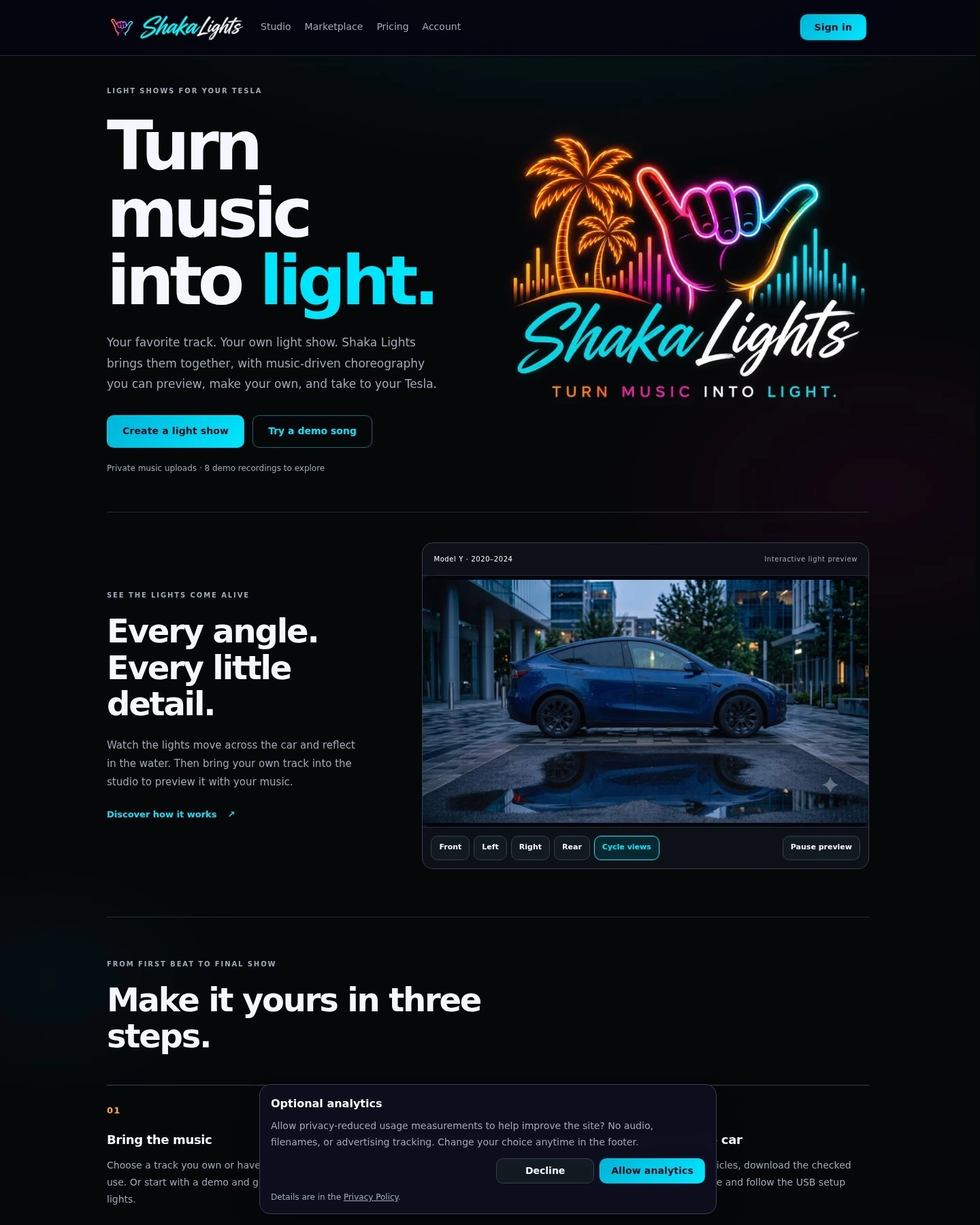
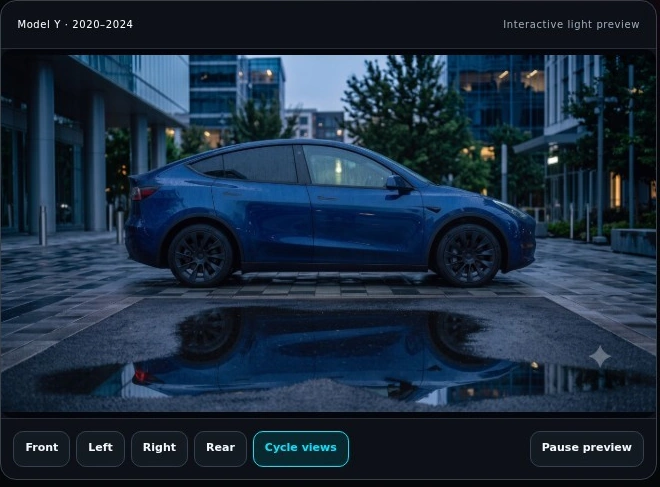
The homepage gives visitors a real vehicle-preview panel before they enter the creator. The product can explain itself through an interaction—not just a list of features.
Front, left, right, rear: an explorable preview turns a demanding rendering system into a straightforward choice.
A beat is a timing cue. It is not a performance.
Flashing lights on every beat can produce synchronization without producing much personality.
We wanted the car to feel as though it was responding to the music: holding something back before a drop, answering a phrase from the other side, or letting a quieter passage breathe.
To support that direction, the analysis pipeline looks beyond tempo. It derives beat timing, onsets, frequency-band energy, sections, builds, drops, silence windows, and musical-layer features from the recording. Those features are measurements and estimates—not a claim that the system has perfectly separated every instrument.
When AI choreography is enabled, the model receives a bounded summary of those features and the creator's settings. It proposes abstract behaviors: which musical layers to follow, how dense a section should feel, when to use symmetry, and where variation or a blackout might belong.
It does not write the vehicle's export bytes or directly command its moving parts.
Application code turns that plan into events, resolves competing requests, applies timing and command constraints, and compiles the sequence. A deterministic generator provides a fallback when the AI path cannot produce an acceptable plan.
This gives the model room to contribute creatively without making it responsible for the rules the output must obey.
It also leaves a separate question for review: does the show actually look good? A valid file and a compelling performance are different achievements.
AI with a defined job
Creative direction in. Testable behavior out.
The model proposes a plan. Application code decides how that plan becomes a valid sequence.
Music features
Tempo · beats · onsets
Sections · energy · silence
Creator’s settings
Abstract choreography
Rhythm source · density
Variation · symmetry
Builds · fills · blackouts
Compile the show
Resolve competing events
Apply timing and command limits
Produce sequence frames
No direct AI-written vehicle bytes. An unacceptable plan falls back to deterministic generation.
A car is not an image with some glow on top
The preview made that same distinction impossible to ignore.
A convincing image can still be a misleading model. Illuminate the wrong region of a headlight assembly and the preview may look impressive while teaching the creator something the vehicle does not actually do.
We had to separate three things that are easy to confuse.
The logical channel is the instruction in the show. The physical output is the lamp or shared circuit that responds. The optical representation is how that response appears in a particular camera view.
They are not always one-to-one.
On the legacy Model 3/Y mapping, for example, Channels 4–6 share an output on each side, while Channel 4 supplies the ramp timing. Drawing three independent lights would make the interface look more capable while making it less faithful to the underlying behavior.
The renderer therefore needs more than a collection of attractive assets. It needs vehicle-specific mapping, time-dependent intensity, correctly aligned light imagery, and clear rules about which visual elements respond together.
Our legacy Model Y work became a useful reference case, not the definition of the entire product. Different model years and lighting assemblies require their own treatment.
We were not making a Tesla-themed animation. We were building a visual representation of a physical system.
The command
What does the sequence request? A channel value and a time describe an event.
The output
What does the vehicle activate? Some instructions share an output or a ramp rule.
The appearance
What should the image show? A registered color-and-opacity layer represents this camera view.
Inside the image file—not inside the headlamp
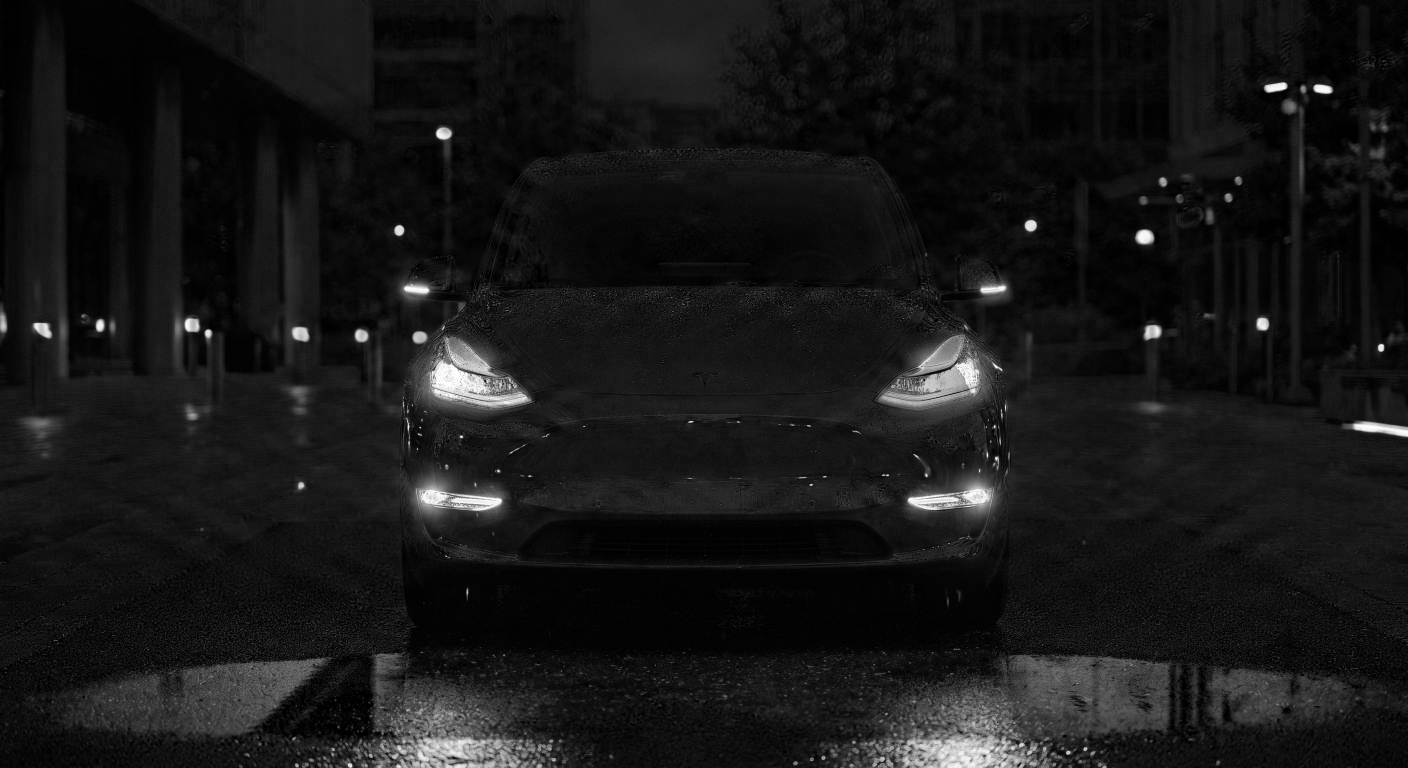
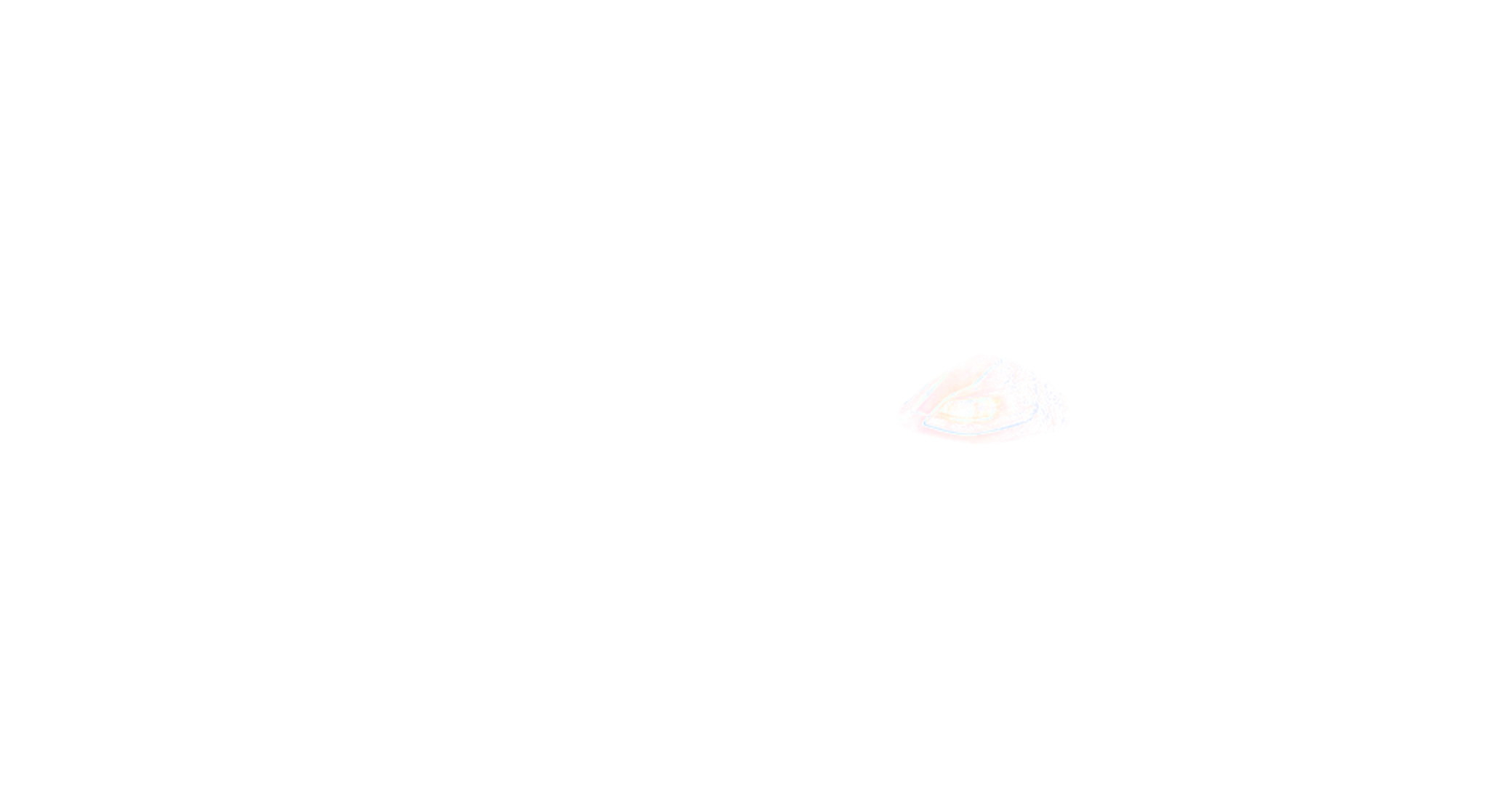
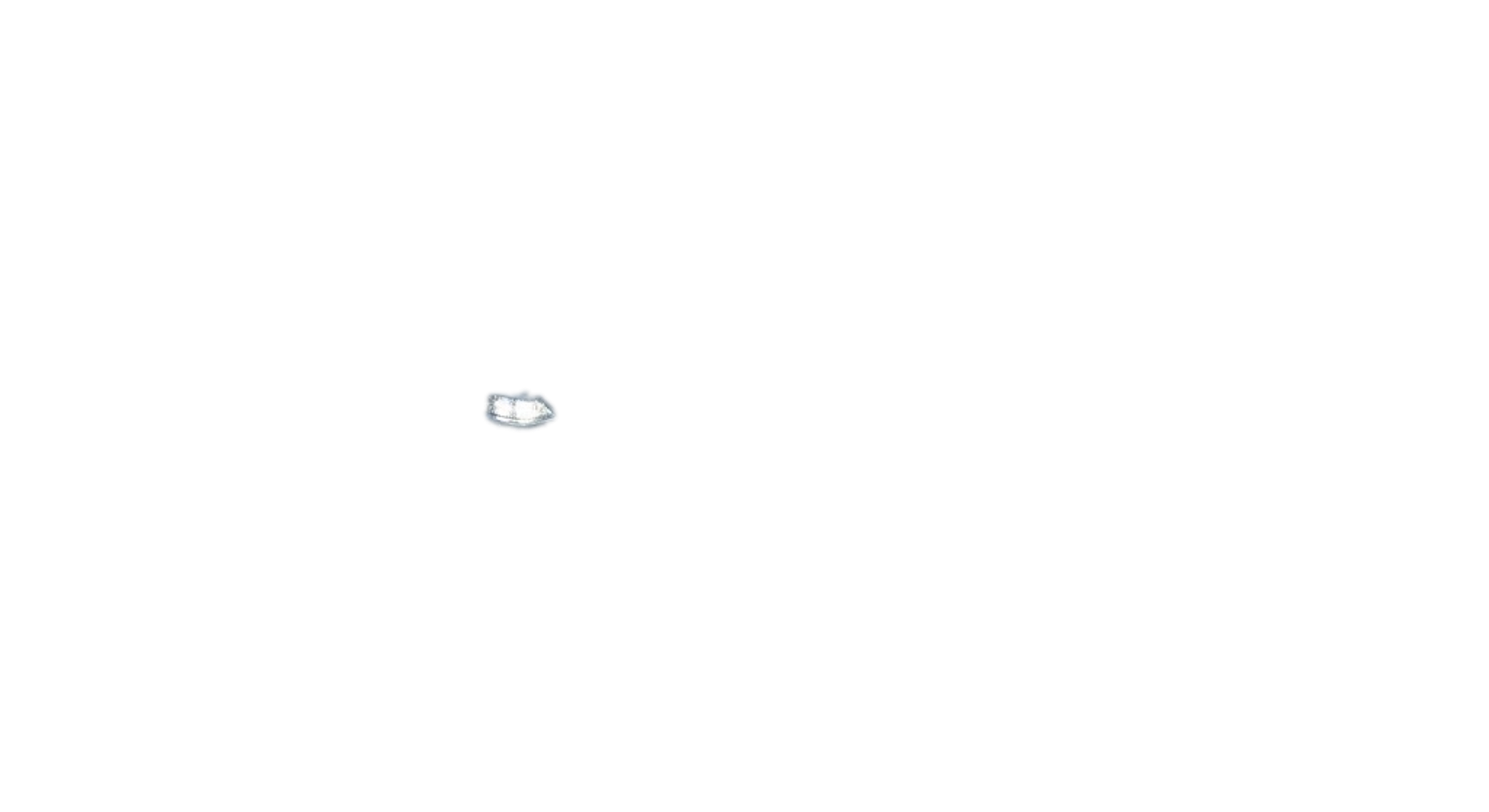
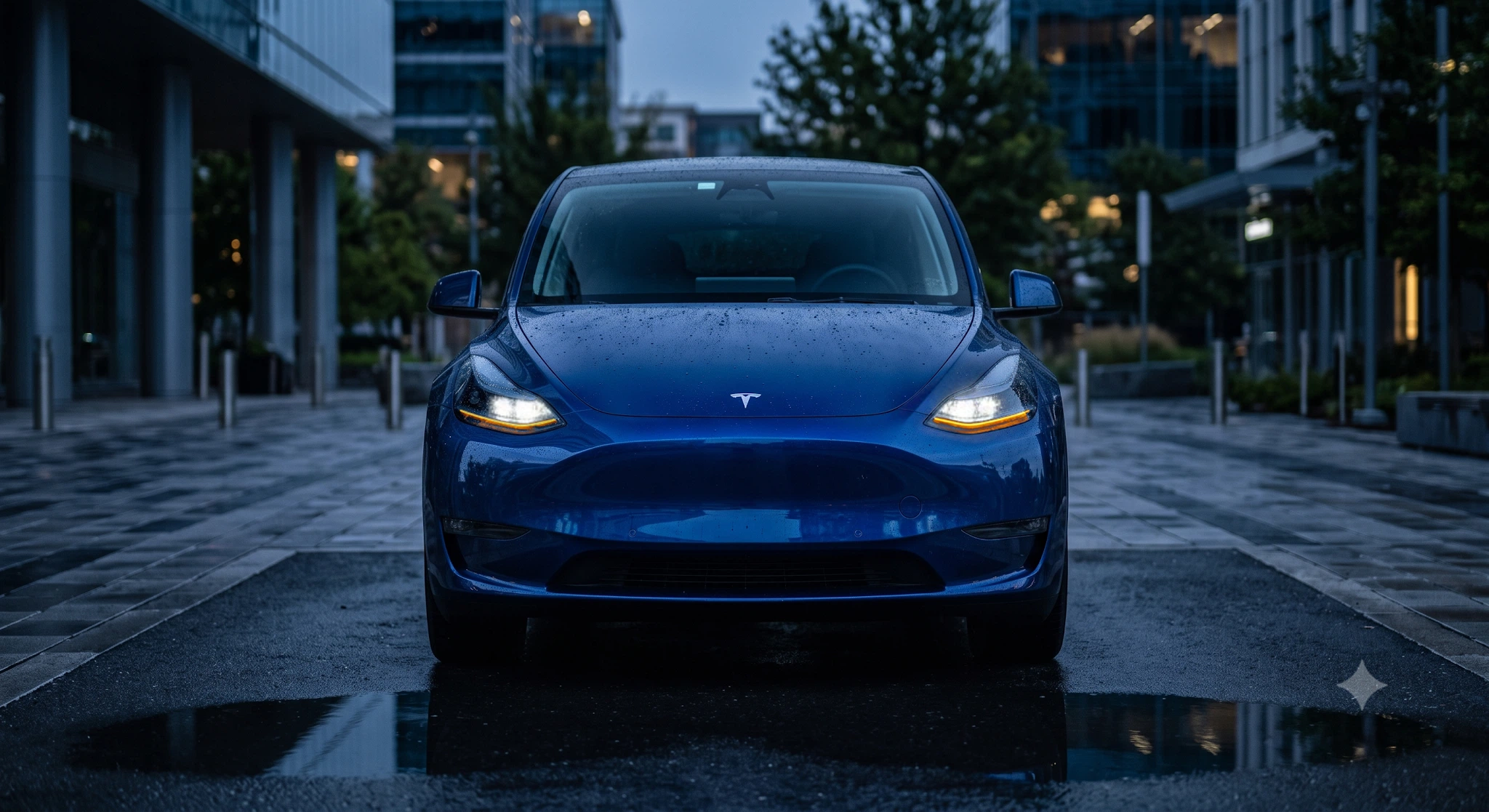
A real layer. The exact same crop.
Vehicle-left front turn signal, seen on the right of this front-facing image. Each panel uses the same 260 × 180 pixel window from the 2048 × 1117 product assets. No parts have been drawn, moved, or exploded.
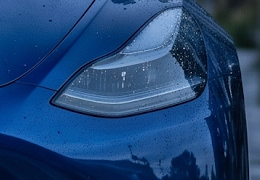
01 / Base image
The lights-off plate.
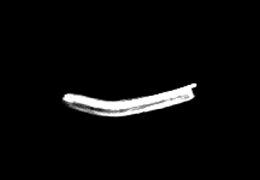
02 / Stored alpha
Black: transparent. White: opaque. Gray: partial opacity.

03 / Color + opacity
The exported RGBA layer, over a transparency checkerboard.
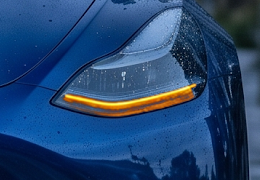
04 / Composite
That same layer over the base, using source-over.
C = αS + (1 − α)BFor this source-over example, S is the layer’s RGB, B is the base, and α is the stored opacity at each pixel. It is a blend—not an instruction to add the raw difference image.
Give AI room to help—not permission to change the car
Generative imagery helped us develop the vehicle visuals. It also exposed a problem: an image model can produce a beautiful answer to the wrong question.
A slightly different lamp shape, an illuminated neighboring strip, or a small shift in the vehicle's position may be acceptable in an illustration. In a layered preview, those changes can break the relationship between the base image and the light being activated.
The answer was not to stop using generated imagery. It was to stop treating a generated image as an authoritative runtime state.
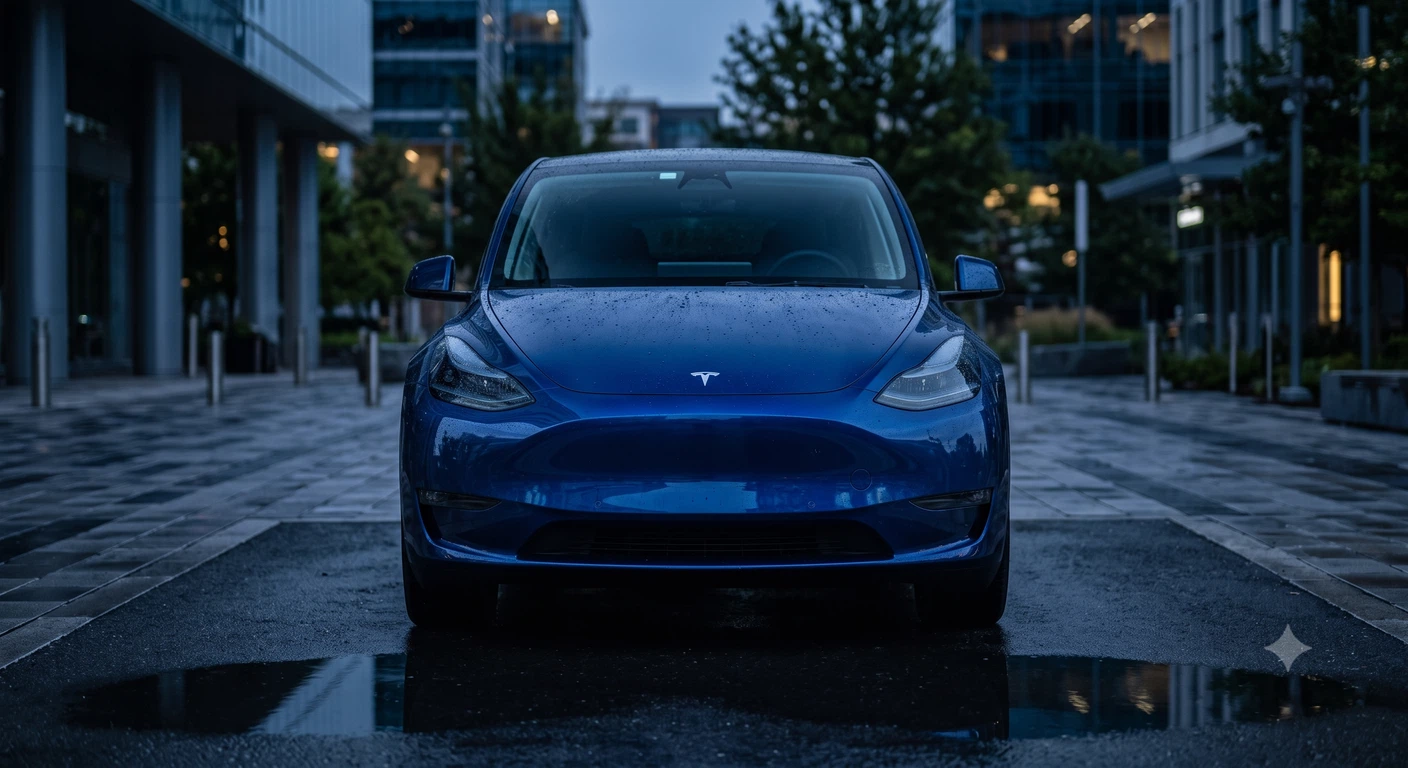
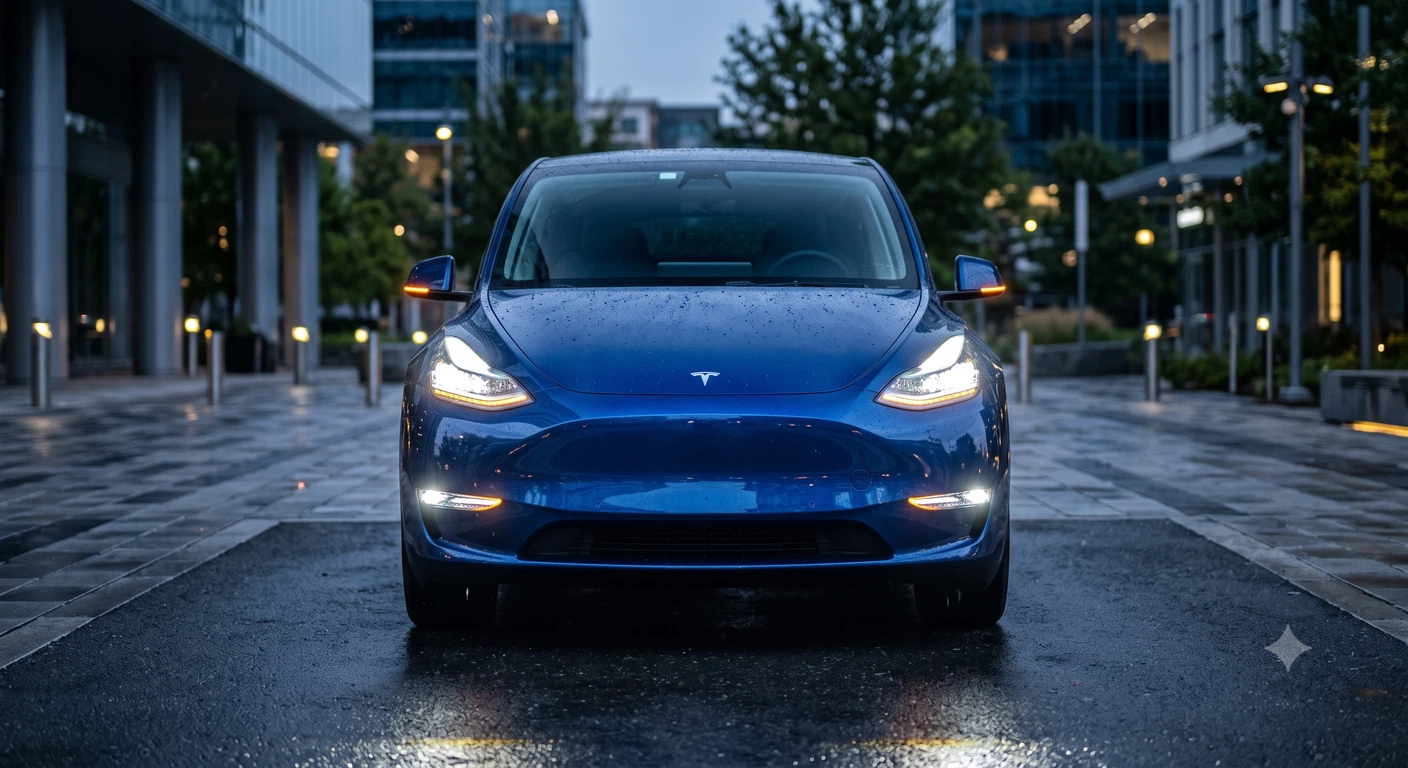
We start with lights-off and lights-on references of the same scene. Before subtraction can be useful, their geometry and exposure need to agree. Otherwise, a shifted edge or a brighter background can masquerade as a light turning on.
The shared extractor subtracts OFF from ON for each RGB channel, discards negative changes, and uses the largest remaining channel change at each pixel. That gives us a candidate change signal—not a finished mask and not a measurement of physical light output.
Thresholds, a brightness check, region boundaries, noise cleanup, and optional color filters isolate the intended light. We then feather the measured opacity edge and save an RGBA layer: the ON donor’s color plus a separate alpha channel controlling where, and how strongly, it appears.
That distinction matters. An alpha mask is a map of opacity; a transparent light layer contains color as well as that opacity. The browser combines the layer with the base using the blend mode assigned to that output. It does not simply add a raw difference image to the car.
The boundaries around a lamp help identify which pixels belong to it; they are not an excuse to paint in a guessed glow.
One concrete correction involved the legacy Model Y's Signature light. The extraction workflow reprojected a close-up donor image onto the locked front-view canvas so that the Signature output would not be confused with the much longer front-turn strip.
That is a less glamorous task than generating a dramatic car render. It is also much closer to what makes the product useful.
At runtime, the application is not asking an image model to imagine the next frame. It is applying defined behavior to prepared assets. That makes the preview repeatable and inspectable, with physical-vehicle comparison remaining a separate acceptance step.
AI-assisted development was a separate workflow. Models and coding agents helped with research, implementation, debugging, and iteration. Their output still needed to survive the same checks as any other contribution: correct mapping, aligned assets, and consistent behavior.
AI became more useful once we defined what it was—and was not—allowed to decide.
From image generation to controlled rendering
Subtraction finds changes.
Engineering decides what belongs.
The formula is simple. The job is not: reflections, exposure shifts, moved edges, and unrelated scene lights can all appear in the difference.
The original lights-off development image.
The original donor, including unwanted scene changes.
Maximum positive RGB-channel change. 1×, not amplified.
Register the pair
Match the camera, geometry, crop, and exposure. A moved edge can produce a difference even when no lamp changed.
Find positive change
Subtract OFF from ON in floating point. Clamp negative RGB changes to zero, then take the largest channel change per pixel.
Isolate and clean
Threshold the change, check ON-pixel brightness, limit the region, remove speckle, and isolate the intended channel and color.
Feather and save
Soften the measured opacity edge. Save the ON donor’s RGB with that alpha, on the original canvas. Test the composite in context.
See the exact difference and opacity calculation
The shared extraction helper reads RGB pixel values as floating point. It does not take an absolute difference, and it does not treat the result as measured physical luminance.
ΔRGB = clamp(ON_RGB − OFF_RGB, 0, 255)
D    = max(ΔR, ΔG, ΔB)
α₀   = clamp((D − low) / (high − low), 0, 1)
With the helper’s defaults, low = 30 and high = 90. This is only initial alpha. Support pixels must also satisfy α₀ > 0.5, max(ON_RGB) > 175, and the coarse region of interest.
The helper then applies a 3 × 3 morphological opening, removes connected components smaller than 60 pixels, and dilates the retained support by 5 × 5. It multiplies the original α₀ by that cleaned support, intersects a channel region and optional color/exclusion filters, then Gaussian-feathers alpha (default σ = 2.5 pixels) and saves 8-bit RGBA. The helper also has an optional raw-alpha path for thin features, which requires separate visual review.
Those are helper defaults, not universal lamp settings. Per-vehicle recipes tune the bounds and thresholds. Feathering softens a measured result; it does not invent a lamp shape. The layer’s RGB comes from the ON donor, not from ΔRGB.
The same threshold can accept the wrong thing.
Actual pixels from the original archive. Values below show the helper’s initial alpha only—before region, brightness, color, and cleanup gates.
Lamp-area pixel
Pixel (1840, 804)
- OFF RGB
- 75, 108, 143
- ON RGB
- 253, 254, 238
- Positive ΔRGB
- 178, 146, 95
- D / initial α₀
- 178 / 1
A bright lamp-area candidate; still subject to the remaining gates.
Background change
Pixel (883, 263)
- OFF RGB
- 43, 65, 76
- ON RGB
- 255, 255, 255
- Positive ΔRGB
- 212, 190, 179
- D / initial α₀
- 212 / 1
A background light. A large difference does not make it a vehicle channel.
Little change
Pixel (1388, 580)
- OFF RGB
- 56, 105, 163
- ON RGB
- 68, 114, 173
- Positive ΔRGB
- 12, 9, 10
- D / initial α₀
- 12 / 0
A small pixel change. The initial threshold suppresses it.
Try it / Real assets / Inspect color, opacity, and compositing
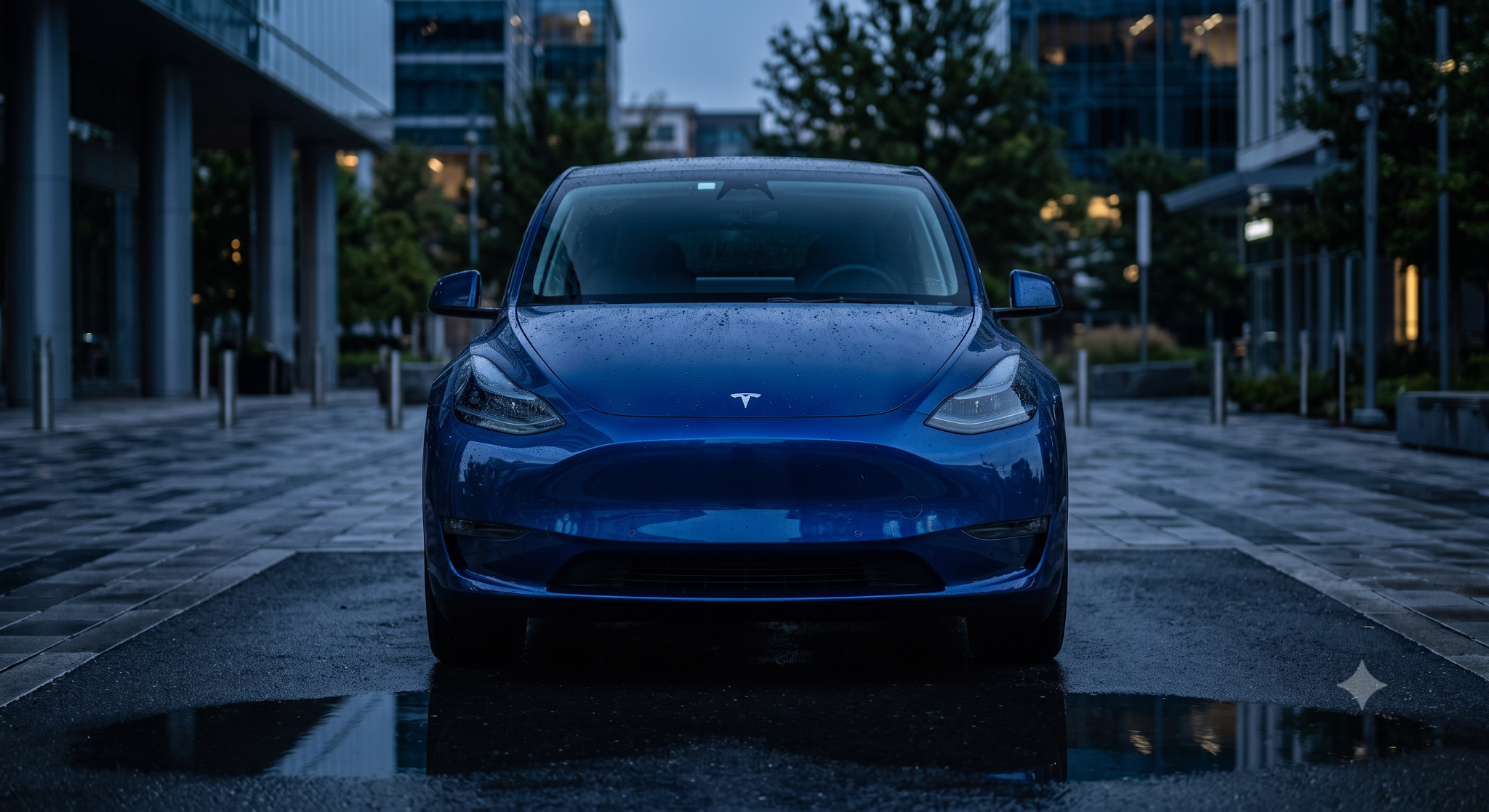 MODEL Y / FRONT VIEW / OPTICAL LAYERS
Switch the layers. Watch the image.
Loading the original product assets…
Left and right are vehicle-relative, as seated facing forward. Multiple layers can be selected together.
Interactive assets are unavailable; use the static reference images above.
Scrubbing exposes the difference between an animation and an editor
An animation can assume time moves forward. An editor cannot.
A creator might jump into the chorus, drag backward into a build, change an event, and resume halfway through a fade. The preview must show the state at that timestamp—not whatever happens to remain from the previous frame.
Ramps make this especially interesting. A light fading out may begin from the partial brightness reached during a previous fade-in. It cannot simply restart at full intensity every time the playhead moves.
A test in our signal interpreter captures the problem precisely. An inner-beam event starts a two-second ramp upward, then reverses after one second. On the export's 20-millisecond grid, the expected intensity is 50% at 00:00.980, 25% at 00:01.480, and zero at 00:01.980.
Now jump backward from 00:01.480 to 00:00.980. The preview needs to return to 50%, regardless of the direction of travel.
These timestamps come from a software regression-test fixture, not a photometric measurement of a car.
Our implementation compiles physical signal tracks from the same command frames used for export. The renderer reads the state at the current playback time, rather than relying on an animation that can only be played from the beginning.
That connects a small interaction—dragging a playhead—to a larger promise: the editor and export should not quietly disagree about the show.
Time is a lookup, not a one-way animation
Drag backward. The state still has to be right.
A two-second fade reverses after one second. Inspect the 20 ms command-frame fixture.
A deterministic illustration of the existing software regression fixture. The percentages describe the interpreter’s expected state—not photometric measurements or guaranteed real-vehicle brightness.
Privacy changed the architecture, not just the wording
Music introduced another set of design decisions.
For the upload workflow, recordings live in user-scoped private storage and are accessed through short-lived signed URLs. They are not automatically published or added to a marketplace.
We also built a browser-local audio path. The browser analyzes a selected recording, retains the normalized audio locally, and sends bounded analysis data to the generation service. The final ZIP is assembled in the browser from the generated sequence and the locally retained audio.
That lets the system generate choreography without receiving the source recording in that workflow.
It also creates practical requirements. Returning on another device, for example, means re-linking the matching local file rather than pretending the recording is available everywhere.
The Apple Music integration respects that boundary: catalog discovery and listening are distinct from the local recording used for synchronized preview and export. It does not extract the subscription stream.
The distinction is straightforward: private server storage for the upload path; locally retained audio for the browser-local path.
The same precision matters with AI. The choreography request uses derived musical information, not the raw recording. Privacy is part of what each component is allowed to receive.
Different audio paths. Explicit boundaries.
Privacy is part of the system design.
Server-private workflow
Upload, privately.
- Your browserUpload the selected recording through a short-lived, signed destination.
- User-scoped storage + workerValidate, decode, normalize, analyze, and generate the requested show.
- Private project artifactsRetrieve the preview, audio, and packaged export through controlled access.
Browser-local workflow
Keep the recording local.
- Your browserDecode and analyze the local recording; retain normalized audio on this device.
- Generation serviceReceive bounded analysis—not the recording—and return the generated sequence.
- Your browser, againCombine the sequence with locally retained audio to construct the final ZIP.
In either workflow: an enabled choreography model receives a bounded feature summary, not the raw recording. Apple Music discovery and listening do not extract the subscription stream.
The export has to earn the preview's confidence
The browser is where a show takes shape. It is not the finish line.
Our legacy export pipeline compiles events into 48-channel, 20-millisecond frames, writes an uncompressed FSEQ V2 sequence, and pairs it with normalized 44.1 kHz WAV audio. Validation checks the result before packaging.
Manual edits go back through the rebuild and validation path. A change on the timeline must affect the exported sequence, not merely the on-screen visualization.
Compatibility needs equally careful treatment. The build includes ten authored model/year preview variants, but preview coverage is not the same as verified vehicle export support.
Current compatibility: the structurally validated export path is the 2020–2024 Model Y 48-channel profile. Other authored variants are preview-only by default, with explicitly experimental exports available only when enabled. Structural validation is not vehicle certification or a guarantee of behavior on every configuration.
We treat those boundaries as product information, not fine print. A more impressive compatibility claim would not make the software more capable.
The goal is the whole journey: music becomes timing, timing becomes choreography, and choreography becomes a sequence prepared for the car.
The preview is where you shape the performance. The vehicle is where it ultimately has to work.
Legacy Model Y export
The output is a product, too.
Edits must survive compilation. The sequence must pass structural checks. The audio and show must stay together in the expected package.
Illustrative filenames. Structural validation does not equal vehicle certification.
What this build says about SiteMilk
Shaka Lights brought together work that is often discussed separately: the interface people use, the rules that make it reliable, the handling of private information, and the output they came to create.
The useful result is not a longer technology list. It is a connected workflow in which a creator can generate an idea, inspect it, change it, and take it further.
For SiteMilk, this is a particularly visible example of a familiar challenge. A business website may need to help someone request a quote, choose a service, or move through a more involved customer journey. The interface should make that next step clear, while the implementation handles what must happen behind it.
Shaka Lights gave us an unusual place to push that discipline: browser graphics that mean something, AI assistance with explicit limits, and a creative interface backed by testable behavior.
The difficult parts should make the experience better. They should not become the customer's homework.
What a more demanding build makes visible
The craft behind a simpler customer experience.
Product clarity
Turn a complex task into understandable choices, visible progress, and a useful next step.
Custom interaction
Build browser experiences that respond to real data instead of decorating a static page.
Responsible engineering
Define privacy boundaries, constrain AI output, and test the behavior that users depend on.
For Tesla creators
Hear the music. See the possibility.
Explore Shaka Lights and review the current vehicle, music-rights, and export information before creating a show.
For your next build
Building something
complicated?
Tell us what your customers need to do, where the current experience gets in their way, and what a better version should make possible. We will help identify the right next step—not start by handing you a template.
We like the complicated ones.
Shaka Lights is independent software and is not affiliated with, endorsed by, or sponsored by Tesla, Inc. Use light shows safely and legally. Creators must have the necessary rights to the audio they use. Generated vehicle artwork and browser previews are not real-vehicle acceptance evidence.
Technical context: This feature is based on SiteMilk’s own implementation and development artifacts, reviewed in September 2026. Tesla’s official light-show creation guide provides the public reference for the xLights workflow and vehicle format. Check Shaka Lights for current product information.